ARCANA FLOW - UPDATE v1.5.0
Welcome to version 1.5.0! This massive update brings breathing integration into flows, custom pattern creation, particle animations, flow completion tracking, active workings dashboard stats, drag-drop organization, image presets, and completed goals celebration.
═══════════════════════════════════════════════════════════════════════════════
🆕 WHAT'S NEW
═══════════════════════════════════════════════════════════════════════════════
🌬️ BREATHING AS FLOW COMPONENTS
One of the most powerful additions: you can now add breathing exercises as steps within your flows! When building a flow, you'll see a new "Breathing" component type alongside Timer, Reps, and Affirmation. Click it and you can choose from any breathing pattern (including your custom ones).
HOW IT WORKS:
Add a breathing step to your flow and select which pattern to use - Complete Yogic Breath for foundation, Alternate Nostril for balance, Breath of Fire for energy, or any of the 11 yogic patterns available. When you run the flow and reach that step, the full breathing visualizer launches automatically with your chosen pattern. Particles dance around the breathing circle, golden and cyan colors pulse with each phase, and per-phase instructions guide you through each technique. When the breathing session ends, you return seamlessly to the next step in your flow.
WHY THIS MATTERS:
You can now create complete ritualized sequences. Start with affirmations, move into breathwork, then meditation, then journaling - all in one cohesive flow. No more manually launching the breathing screen between other activities.
✨ CUSTOM BREATHING PATTERNS
You're no longer limited to the pre-set patterns! The breathing screen now has a "Manage Patterns" button where you can create completely custom breathing rhythms.
CREATING PATTERNS:
Click "Manage Patterns" and you'll see all your patterns listed. Click "Create New Pattern" and give it a name (like "Morning Energizer" or "Sleep Prep"). Then set the timing for each phase - how many seconds for inhale, hold after inhale, exhale, and hold after exhale. You can set any phase to 0 seconds to skip it entirely. Add custom instructions for each phase that will display during the breathwork session.
The pattern appears immediately in your breathing screen dropdown AND in the flow builder when adding breathing steps. Create patterns for specific energy states, magical workings, or whatever your practice requires. Patterns save automatically and persist between sessions.
MANAGING PATTERNS:
Edit any pattern by clicking the edit icon. Change the timing, update instructions, or rename it. Delete patterns you no longer use. The interface shows all your patterns at a glance with their timings displayed clearly.
💫 ENRICHED BREATHING VISUALIZER
The breathing experience has been completely reimagined with immersive visuals and better guidance.
PARTICLE ANIMATIONS:
When you start breathing, particles spawn continuously around the breathing circle. They pulse and float in golden and cyan colors, creating a mesmerizing, meditative atmosphere. The particles respond to the breathing phases - glowing brighter during holds, flowing outward during exhales. It transforms the breathing practice from a simple timer into an engaging visual experience.
PER-PHASE INSTRUCTIONS:
Each phase of breathing now shows clear text instructions - "Breathe In", "Hold", "Breathe Out", "Rest" - right on the screen. You don't have to remember what you're supposed to be doing. The text changes color to match the phase (golden for inhale, cyan for exhale, white for holds).
ENHANCED VISUALS:
The breathing circle is larger and more prominent. It smoothly expands during inhale and contracts during exhale. Golden and purple gradients glow during inhale, blue and indigo during exhale, with intense glow effects during holds. A real-time countdown shows seconds remaining in the current phase.
START/STOP CONTROLS:
You now have manual control over breathing sessions. A clear "Start" button begins the session (no more auto-starting). When you want to end early, click "Stop" and everything resets cleanly - circle returns to normal size, particles clear, timer resets. This gives you complete control over your practice.
☑️ FLOW COMPLETION TRACKING
Flows can now be marked as complete, just like tasks! This is huge for tracking your daily practice and building consistency.
HOW IT WORKS:
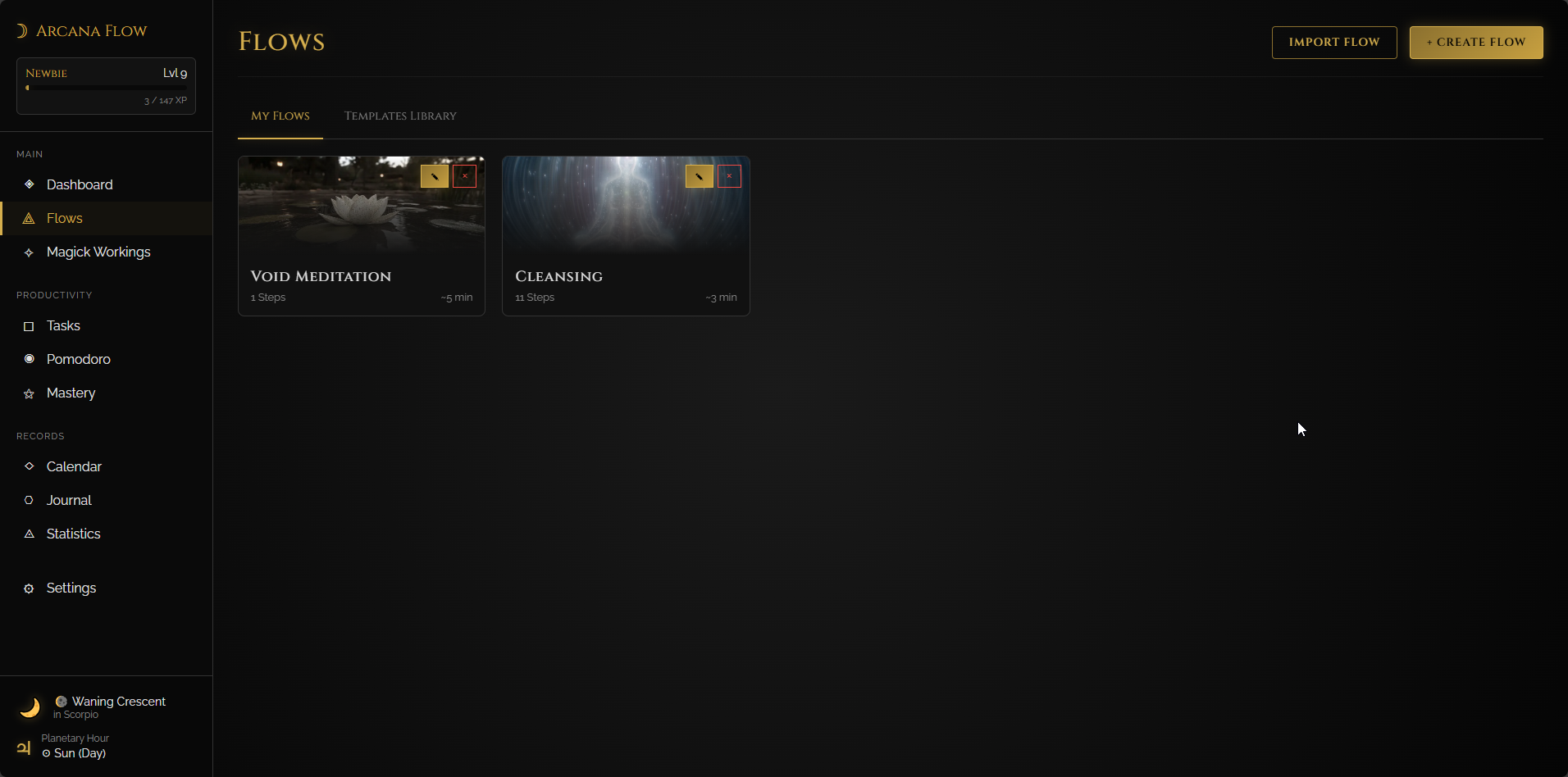
Any flow with a schedule (daily, weekly, specific days, etc.) shows a checkbox. You'll see it in the top-left corner of the flow card on the Flows page, and next to each flow in your Dashboard's "Today's Schedule" section. Click the checkbox when you complete the flow and it gets a visual checkmark, slight strikethrough effect, and turns golden to show completion.
AUTO-RESET:
Flow completions automatically reset at midnight. This means your recurring daily flows appear fresh each morning, ready to be checked off again. Weekly flows reset on their scheduled days. This ensures your dashboard always shows current status without manual intervention.
WHERE YOU'LL SEE IT:
The checkbox appears on the Flows page for scheduled flows, and prominently on your Dashboard in the Today's Schedule widget. At a glance, you can see which flows you've completed today and which still need attention.
🔮 ACTIVE WORKINGS DASHBOARD
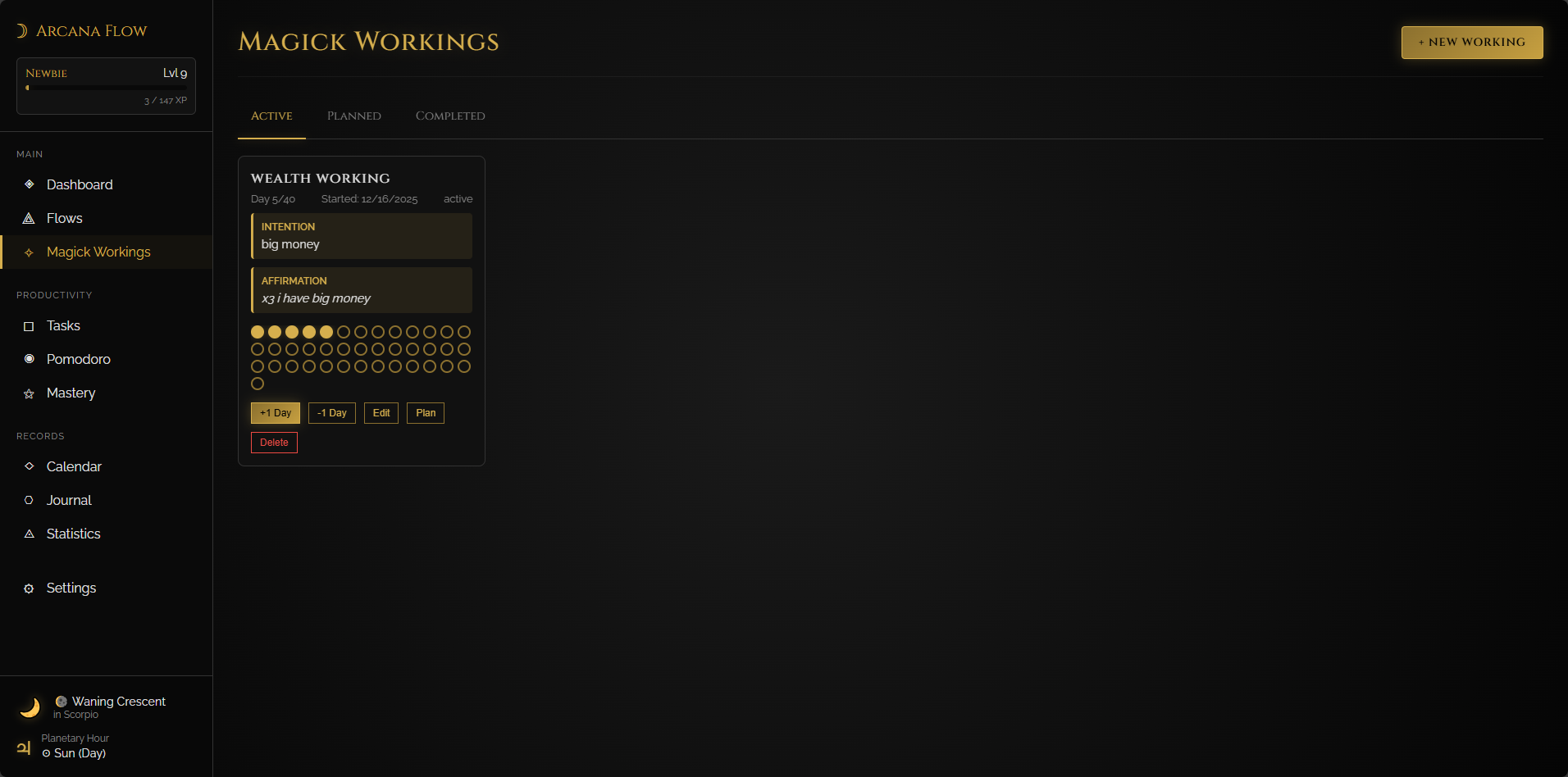
The Dashboard now shows detailed stats about your active magickal workings, making it easier to stay on track with long-term practices.
WHAT'S DISPLAYED:
Each active working card on the dashboard shows:
• Days remaining until completion
• Start date of the working
• Current streak of consecutive days
• Progress percentage
This is especially valuable for 40-day workings, or any extended practice where tracking momentum matters. You can see at a glance how far you've come and how much remains, helping maintain motivation through longer commitments.
═══════════════════════════════════════════════════════════════════════════════
✨ DRAG & DROP REORDERING
You can now reorder everything by dragging! Just grab any flow, schedule item, or mastery goal and drag it to where you want it.
Look for the handle icon (⋮⋮) on the left side of each card. Click and hold it, then drag up or down. The card glows with a golden border while dragging. Your new order saves automatically the moment you drop the card.
WHERE IT WORKS:
• My Flows page - Organize flows by priority or frequency
• Dashboard schedule - Plan your daily sequence
• Mastery goals - Reorder both active and completed goals independently
═══════════════════════════════════════════════════════════════════════════════
🖼️ IMAGE PRESETS LIBRARY
Creating flows just got more visual! When building a flow, you'll see a dropdown with preset images for your flow's cover or individual steps. Three built-in presets (Void, Energy, Spirit) work immediately as embedded SVGs.
You can still upload completely custom images - the preset dropdown just gives quick access to curated imagery.
═══════════════════════════════════════════════════════════════════════════════
🏆 COMPLETED GOALS TRACKING
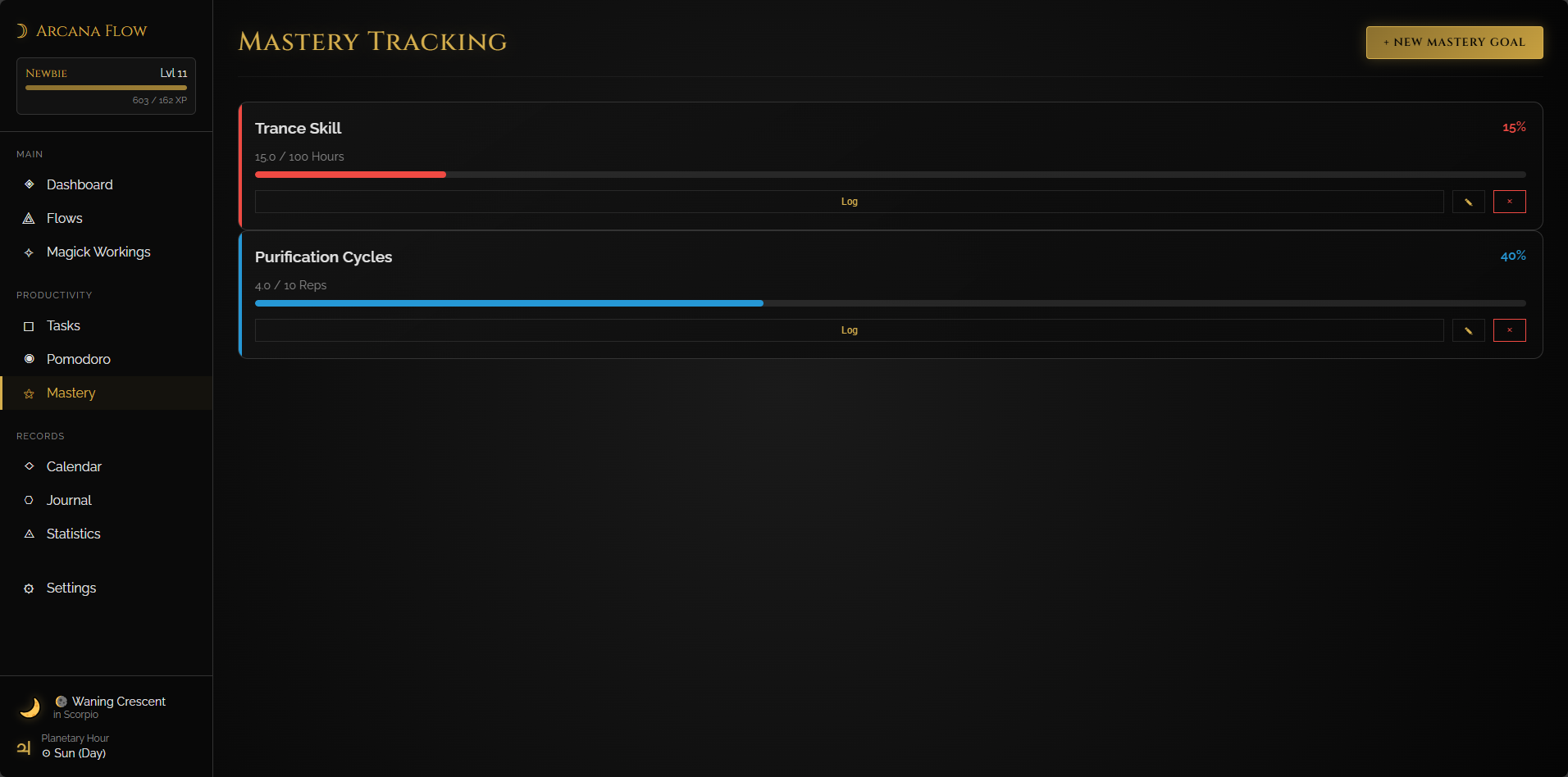
The Mastery page now separates goals into Active and Completed sections. When you reach your goal, it automatically moves to the Completed section with a trophy badge (🏆) and golden 100% progress bar. This keeps active goals at the top for focus while celebrating your achievements.
Use the Archive button on any completed goal to move it back to Active if you want to continue building that skill.
═══════════════════════════════════════════════════════════════════════════════
🐛 BUG FIXES
• Custom breathing patterns now save properly between sessions
• Visual feedback during drag operations is smoother
• Mastery goals correctly split into active/completed sections
• Planetary hours now use accurate API with real-time calculations and fallback to manual when offline
• Fixed custom goal numbers in mastery - you can now set any custom value when creating or editing goals
• Improved validation with helpful error messages
• Template library now displays actual preset images instead of placeholder gradients
• Fixed flow editing error that prevented saving edited flows
═══════════════════════════════════════════════════════════════════════════════
🧘 YOGIC BREATHING PATTERNS
The default breathing patterns have been replaced with authentic yogic and spiritual breathing exercises:
• Complete Yogic Breath - Foundation breath filling lungs bottom to top
• Alternate Nostril (Anuloma Viloma) - Balances Ida & Pingala nadis
• Breath of Fire (Kapalabhati) - Rapid abdominal pumping for Kundalini
• Yogic Humming Breath (Brahmari) - Essential for mastering mantras
• Serpent Hissing Breath (Sitkari) - Tongue on roof, hissing inhale
• Reversed Sitkari - Hissing exhale variation from Azazel
• Cat Breath (Ujjayi) - Glottis breathing with soft hiss
• Reversed Cat Breath - Cat hiss on exhale for energy work
• Kumbhaka Lunar Breath Set 1 & 2 - Paired practice, must match rounds
• 666 Breath of Lucifer's Grail - Advanced chakra connection for Magnum Opus
Each pattern includes detailed per-phase instructions explaining the technique.
═══════════════════════════════════════════════════════════════════════════════
🌍 PLANETARY HOURS ENHANCEMENT
Planetary hour calculations are now more accurate than ever! The app uses a dedicated API (planetaryhoursapi.com) that provides real-time planetary hours based on your exact location and date. The API calculates precise sunrise/sunset times and adjusts all planetary hours accordingly.
If you're offline or the API is unavailable, the app automatically falls back to the manual calculation using the sunrise equation. Either way, you get accurate planetary hours for your magical timing.
The widget shows your city name when location is set, making it clear which timezone the calculations are based on. This ensures your workings are timed perfectly according to traditional planetary hour correspondences.
═══════════════════════════════════════════════════════════════════════════════
Version 1.5.0 | December 15, 2025

 Active Translator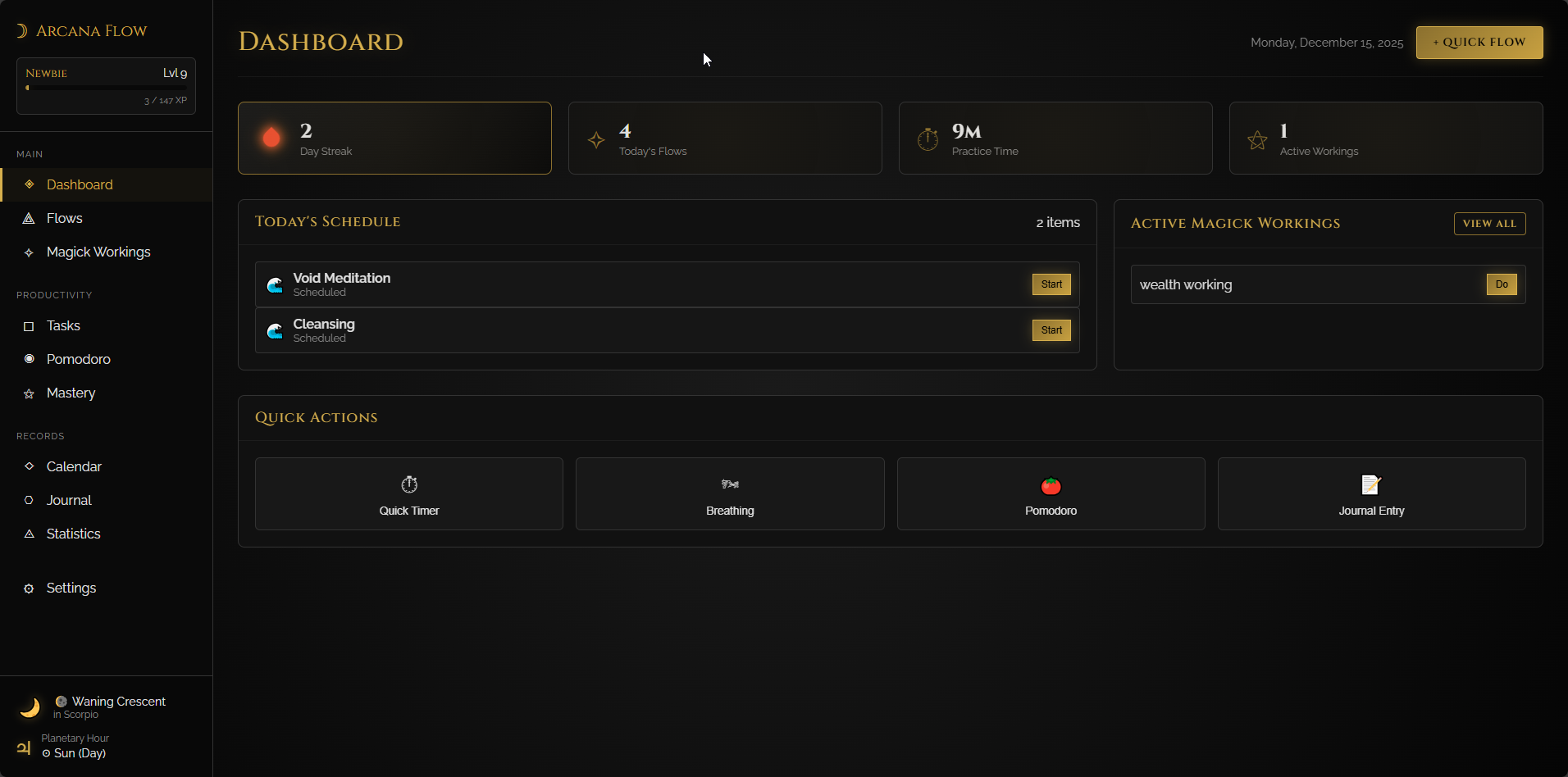
 Lead Translator